Welcome to HaCkEr-BrAdRi

HaCkEr-BrAdRi you Quality Software's Free of Cost with full version Keep Visiting and Keep enjoying . . . Don't Forget To Comment on Posts.

HaCkEr-BrAdRi Features

HaCkEr-BrAdRi provide you cracked,registered, serial key, and much more for free

HaCkEr-BrAdRi Update Daily

Our Team Update Blog Daily Or Twice A Day With latest and Cool Stuff For You For Free Download . . .

HaCkEr-BrAdRi Give You Big Variety Of Software's

HaCkEr-BrAdRi Provide You Latest and registered software's. . .

HaCkEr-BrAdRi

A Solution Of Your Needs

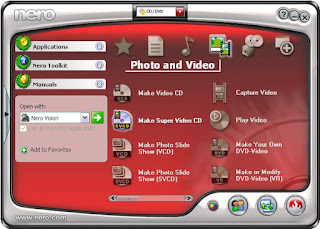
How To Burn a BIN without a CUE using NERO

How To Burn a BIN without a CUE using NERO

How To Burn a BIN without a CUE using NERO at www.hackerbradri.com

You've downloaded a *.BIN file, but there was no *.CUE file associated and you still want to burn the *.BIN file using Nero

Your options are:

1) Create yourself a *.CUE

2) Convert the *.BIN to an *.ISO

3) OR use Nero to burn without the *.CUE file!!!

Yes, that's possible... just follow these steps and you will be sorted. No need for *.CUE files anymore

Ok, here we go...

1) Start Nero

2) File -> Burn Image

3) Browse to the *.BIN file that you want to burn and open it

4) A window saying "Foreign Image Settings" will open

5) Check the settings. They should be as followed:

* Type of image: leave it to Data Mode 1
* Select the Raw Data check box
Note ->> The block size will change automatically from 2048 to 2352
* Leave Image Header and Image Trailer unchanged and set to 0
* Leave "Scrambled" and "Swapped" check boxes unchecked

6) Click on burn!

7) Enjoy

This tut was for Nero 5.x.x.x, I was told that "Burn Image" is under "recorder" in Nero 6. The rest of the steps should be the same...

Click Here For more Tutorials and How To

How To Change Your Ip In Less Then 1 Minute

How To: Change Your Ip In Less Then 1 Minute

How To Change Your Ip In Less Then 1 Minute www.hackerbradri.com

1. Click on "Start" in the bottom left hand corner of screen
2. Click on "Run"
3. Type in "command" and hit ok

You should now be at an MSDOS prompt screen.

4. Type "ipconfig /release" just like that, and hit "enter"
5. Type "exit" and leave the prompt
6. Right-click on "Network Places" or "My Network Places" on your desktop.
7. Click on "properties"

You should now be on a screen with something titled "Local Area Connection", or something close to that, and, if you have a network hooked up, all of your other networks.

8. Right click on "Local Area Connection" and click "properties"
9. Double-click on the "Internet Protocol (TCP/IP)" from the list under the "General" tab
10. Click on "Use the following IP address" under the "General" tab
11. Create an IP address (It doesn't matter what it is. I just type 1 and 2 until i fill the area up).
12. Press "Tab" and it should automatically fill in the "Subnet Mask" section with default numbers.
13. Hit the "Ok" button here
14. Hit the "Ok" button again

You should now be back to the "Local Area Connection" screen.

15. Right-click back on "Local Area Connection" and go to properties again.
16. Go back to the "TCP/IP" settings
17. This time, select "Obtain an IP address automatically"
tongue.gif 18. Hit "Ok"
19. Hit "Ok" again
20. You now have a new IP address

With a little practice, you can easily get this process down to 15 seconds.

NOTE:
This only changes your dynamic IP address, not your ISP/IP address. If you plan on hacking a website with this trick be extremely careful, because if they try a little, they can trace it back

Click Here For more Tutorials and How To

Cracking Zip Password Files Tutorial How To

Cracking Zip Password Files Tutorial How To

Cracking Zip Password Files Tutorial How To at www.hackerbradri.com


This Tutorial is On Cracking Zip Password Files.
What is FZC? FZC is a program that cracks zip files (zip is a method of compressing multiple files into one smaller file) that are password-protected (which means you're gonna need a password to open the zip file and extract files out of it). You can get it anywhere - just use a search engine such as altavista.com.
FZC uses multiple methods of cracking - bruteforce (guessing passwords systematically until the program gets it) or wordlist attacks (otherwise known as dictionary attacks. Instead of just guessing passwords systematically, the program takes passwords out of a "wordlist", which is a text file that contains possible passwords. You can get lots of wordlists at www.theargon.com.).

FZC can be used in order to achieve two different goals: you can either use it to recover a lost zip password which you used to remember but somehow forgot, or to crack zip passwords which you're not supposed to have. So like every tool, this one can be used for good and for evil.

The first thing I want to say is that reading this tutorial... is the easy way to learn how to use this program, but after reading this part of how to use the FZC you should go and check the texts that come with that program and read them all. You are also going to see the phrase "check name.txt" often in this text. These files should be in FZC's directory. They contain more information about FZC.

FZC is a good password recovery tool, because it's very fast and also support resuming so you don't have to keep the computer turned on until you get the password, like it used to be some years ago with older cracking programs. You would probably always get the password unless the password is longer than 32 chars (a char is a character, which can be anything - a number, a lowercase or undercase letter or a symbol such as ! or &) because 32 chars is the maximum value that FZC will accept, but it doesn't really matter, because in order to bruteforce a password with 32 chars you'll need to be at least immortal..heehhe.. to see the time that FZC takes with bruteforce just open the Bforce.txt file, which contains such information.
FZC supports brute-force attacks, as well as wordlist attacks. While brute-force attacks don't require you to have anything, wordlist attacks require you to have wordlists, which you can get from www.theargon.com. There are wordlists in various languages, various topics or just miscellaneous wordlists. The bigger the wordlist is, the more chances you have to crack the password.

Now that you have a good wordlist, just get FZC working on the locked zip file, grab a drink, lie down and wait... and wait... and wait...and have good thoughts like "In wordlist mode I'm gonna get the password in minutes" or something like this... you start doing all this and remember "Hey this guy started with all this bullshit and didn't say how I can start a wordlist attack!..." So please wait just a little more, read this tutorial 'till the end and you can do all this "bullshit".

We need to keep in mind that are some people might choose some really weird passwords (for example: 'e8t7@$^%*gfh), which are harder to crack and are certainly impossible to crack (unless you have some weird wordlist). If you have a bad luck and you got such a file, having a 200MB list won't help you anymore. Instead, you'll have to use a different type of attack. If you are a person that gives up at the first sign of failure, stop being like that or you won't get anywhere. What you need to do in such a situation is to put aside your sweet xxx MB's list and start using the Brute Force attack.

If you have some sort of a really fast and new computer and you're afraid that you won't be able to use your computer's power to the fullest because the zip cracker doesn't support this kind of technology, it's your lucky day! FZC has multiple settings for all sorts of hardware, and will automatically select the best method.

Now that we've gone through all the theoretical stuff, let's get to the actual commands.


--------------------------------------------------------------------------------
Bruteforce
--------------------------------------------------------------------------------
The command line you'll need to use for using brute force is:

fzc -mb -nzFile.zip -lChr Lenght -cType of chars

Now if you read the bforce.txt that comes with fzc you'll find the description of how works Chr Lenght and the Type of chars, but hey, I'm gonna explain this too. Why not, right?... (but remember look at the bforce.txt too)

For Chr Lenght you can use 4 kind of switches...

-> You can use range -> 4-6 :it would brute force from 4 Chr passwors to 6 chr passwords
-> You can use just one lenght -> 5 :it would just brute force using passwords with 5 chars
-> You can use also the all number -> 0 :it would start brute forcing from passwords with lenght 0 to lenght 32, even if you are crazy i don't think that you would do this.... if you are thinking in doing this get a live...
-> You can use the + sign with a number -> 3+ :in this case it would brute force from passwords with lenght 3 to passwords with 32 chars of lenght, almost like the last option...

For the Type of chars we have 5 switches they are:

-> a for using lowercase letters
-> A for using uppercase letters
-> ! for using simbols (check the Bforce.txt if you want to see what simbols)
-> s for using space
-> 1 for using numbers


Example:
If you want to find a password with lowercase and numbers by brute force you would just do something like:

fzc -mb -nzTest.zip -l4-7 -ca1

This would try all combinations from passwords with 4 chars of lenght till 7 chars, but just using numbers and lowercase.

*****
hint
*****

You should never start the first brute force attack to a file using all the chars switches, first just try lowercase, then uppercase, then uppercase with number then lowercase with numbers, just do like this because you can get lucky and find the password much faster, if this doesn't work just prepare your brain and start with a brute force that would take a lot of time. With a combination like lowercase, uppercase, special chars and numbers.


--------------------------------------------------------------------------------
Wordlist
--------------------------------------------------------------------------------
Like I said in the bottom and like you should be thinking now, the wordlist is the most powerfull mode in this program. Using this mode, you can choose between 3 modes, where each one do some changes to the text that is in the wordlist, I'm not going to say what each mode does to the words, for knowing that just check the file wlist.txt, the only thing I'm going to tell you is that the best mode to get passwords is mode 3, but it takes longer time too.
To start a wordlist attak you'll do something like.

fzc -mwMode number -nzFile.zip -nwWordlist

Where:

Mode number is 1, 2 or 3 just check wlist.txt to see the changes in each mode.
File.zip is the filename and Wordlist is the name of the wordlist that you want to use. Remember that if the file or the wordlist isn't in the same directory of FZC you'll need to give the all path.

You can add other switches to that line like -fLine where you define in which line will FZC start reading, and the -lChar Length where it will just be read the words in that char length, the switche works like in bruteforce mode.
So if you something like

fzc -mw1 -nztest.zip -nwMywordlist.txt -f50 -l9+

FZC would just start reading at line 50 and would just read with length >= to 9.

Example:

If you want to crack a file called myfile.zip using the "theargonlistserver1.txt" wordlist, selecting mode 3, and you wanted FZC to start reading at line 50 you would do:

fzc -mw3 -nzmyfile.zip -nwtheargonlistserver1.txt -f50

--------------------------------------------------------------------------------
Resuming
--------------------------------------------------------------------------------
Other good feature in FZC is that FZC supports resuming. If you need to shutdown your computer and FZC is running you just need to press the ESC key, and fzc will stop. Now if you are using a brute force attack the current status will be saved in a file called resume.fzc but if you are using a wordlist it will say to you in what line it ended (you can find the line in the file fzc.log too).
To resume the bruteforce attack you just need to do:

fzc -mr

And the bruteforce attack will start from the place where it stopped when you pressed the ESC key.
But if you want to resume a wordlist attack you'll need to start a new wordlist attack, saying where it's gonna start. So if you ended the attack to the file.zip in line 100 using wordlist.txt in mode 3 to resume you'll type

fzc -mw3 -nzfile.zip -nwwordlist.txt -f100

Doing this FZC would start in line 100, since the others 99 lines where already checked in an earlier FZC session.


Well, it looks like I covered most of what you need to know. I certainly hope it helped you... don't forget to read the files that come with the program

Click Here For more Tutorials and How To

Change The Default Location For Installing Apps in Windows

Change The Default Location For Installing Apps in Windows

As the size of hardrives increase, more people are using partitions to seperate and store groups of files.

Change The Default Location For Installing Apps in Windows at www.hackerbradri.com


XP uses the C:\Program Files directory as the default base directory into which new programs are installed. However, you can change the default installation drive and/ or directory by using a Registry hack.

Run the Registry Editor (regedit)and go to

HKEY_LOCAL_MACHINE\SOFTWARE\Microsoft\Windows\CurrentVersion

Look for the value named ProgramFilesDir. by default,this value will be C:\Program Files. Edit the value to any valid drive or folder and XP will use that new location as the default installation directory for new programs.

Click Here For more Tutorials and How To

Backtracking EMAIL Messages Manually How To

Backtracking EMAIL Messages Manually
Backtracking EMAIL Messages Manually at www.hackerbradri.com


Ask most people how they determine who sent them an email message and the response is almost universally, "By the From line." Unfortunately this symptomatic of the current confusion among internet users as to where particular messages come from and who is spreading spam and viruses. The "From" header is little more than a courtesy to the person receiving the message. People spreading spam and viruses are rarely courteous. In short, if there is any question about where a particular email message came from the safe bet is to assume the "From" header is forged.

So how do you determine where a message actually came from? You have to understand how email messages are put together in order to backtrack an email message. SMTP is a text based protocol for transferring messages across the internet. A series of headers are placed in front of the data portion of the message. By examining the headers you can usually backtrack a message to the source network, sometimes the source host. A more detailed essay on reading email headers can be found .

If you are using Outlook or Outlook Express you can view the headers by right clicking on the message and selecting properties or options.

Below are listed the headers of an actual spam message I received. I've changed my email address and the name of my server for obvious reasons. I've also double spaced the headers to make them more readable.


Return-Path:

X-Original-To: davar@example.com

Delivered-To: davar@example.com

Received: from 12-218-172-108.client.mchsi.com (12-218-172-108.client.mchsi.com [12.218.172.108])
by mailhost.example.com (Postfix) with SMTP id 1F9B8511C7
for ; Sun, 16 Nov 2003 09:50:37 -0800 (PST)

Received: from (HELO 0udjou) [193.12.169.0] by 12-218-172-108.client.mchsi.com with ESMTP id <536806-74276>; Sun, 16 Nov 2003 19:42:31 +0200

Message-ID:

From: "Maricela Paulson"

Reply-To: "Maricela Paulson"

To: davar@example.com

Subject: STOP-PAYING For Your PAY-PER-VIEW, Movie Channels, Mature Channels...isha

Date: Sun, 16 Nov 2003 19:42:31 +0200

X-Mailer: Internet Mail Service (5.5.2650.21)

X-Priority: 3

MIME-Version: 1.0

Content-Type: multipart/alternative; boundary="MIMEStream=_0+211404_90873633350646_4032088448"


According to the From header this message is from Maricela Paulson at s359dyxxt@yahoo.com. I could just fire off a message to abuse@yahoo.com, but that would be waste of time. This message didn't come from yahoo's email service.

The header most likely to be useful in determining the actual source of an email message is the Received header. According to the top-most Received header this message was received from the host 12-218-172-108.client.mchsi.com with the ip address of 21.218.172.108 by my server mailhost.example.com. An important item to consider is at what point in the chain does the email system become untrusted? I consider anything beyond my own email server to be an unreliable source of information. Because this header was generated by my email server it is reasonable for me to accept it at face value.

The next Received header (which is chronologically the first) shows the remote email server accepting the message from the host 0udjou with the ip 193.12.169.0. Those of you who know anything about IP will realize that that is not a valid host IP address. In addition, any hostname that ends in client.mchsi.com is unlikely to be an authorized email server. This has every sign of being a cracked client system.


Here's is where we start digging. By default Windows is somewhat lacking in network diagnostic tools; however, you can use the tools at to do your own checking.

davar@nqh9k:[/home/davar] $whois 12.218.172.108

AT&T WorldNet Services ATT (NET-12-0-0-0-1)
12.0.0.0 - 12.255.255.255
Mediacom Communications Corp MEDIACOMCC-12-218-168-0-FLANDREAU-MN (NET-12-218-168-0-1)
12.218.168.0 - 12.218.175.255

# ARIN WHOIS database, last updated 2003-12-31 19:15
# Enter ? for additional hints on searching ARIN's WHOIS database.

I can also verify the hostname of the remote server by using nslookup, although in this particular instance, my email server has already provided both the IP address and the hostname.

davar@nqh9k:[/home/davar] $nslookup 12.218.172.108

Server: localhost
Address: 127.0.0.1

Name: 12-218-172-108.client.mchsi.com
Address: 12.218.172.108

Ok, whois shows that Mediacom Communications owns that netblock and nslookup confirms the address to hostname mapping of the remote server,12-218-172-108.client.mchsi.com. If I preface a www in front of the domain name portion and plug that into my web browser, http://www.mchsi.com, I get Mediacom's web site.

There are few things more embarrassing to me than firing off an angry message to someone who is supposedly responsible for a problem, and being wrong. By double checking who owns the remote host's IP address using two different tools (whois and nslookup) I minimize the chance of making myself look like an idiot.

A quick glance at the web site and it appears they are an ISP. Now if I copy the entire message including the headers into a new email message and send it to abuse@mchsi.com with a short message explaining the situation, they may do something about it.

But what about Maricela Paulson? There really is no way to determine who sent a message, the best you can hope for is to find out what host sent it. Even in the case of a PGP signed messages there is no guarantee that one particular person actually pressed the send button. Obviously determining who the actual sender of an email message is much more involved than reading the From header. Hopefully this example may be of some use to other forum regulars.

Auto End Tasks to Enable a Proper Shutdown In Windows

 Auto End Tasks to Enable a Proper Shutdown in Windows

Auto End Tasks to Enable a Proper Shutdown www.hackerbradri.com


This reg file automatically ends tasks and timeouts that prevent programs from shutting down and clears the Paging File on Exit.

1. Copy the following (everything in the box) into notepad.


QUOTE
Windows Registry Editor Version 5.00

[HKEY_LOCAL_MACHINE\SYSTEM\CurrentControlSet\Control\Session Manager\Memory Management]
"ClearPageFileAtShutdown"=dword:00000001

[HKEY_USERS\.DEFAULT\Control Panel\Desktop]
"AutoEndTasks"="1"

[HKEY_LOCAL_MACHINE\SYSTEM\CurrentControlSet\Control]
"WaitToKillServiceTimeout"="1000"


2. Save the file as shutdown.reg
3. Double click the file to import into your registry.

NOTE: If your anti-virus software warns you of a "malicious" script, this is normal if you have "Script Safe" or similar technology enabled.

Anonymity of Proxy, Anonymity of Proxy learn it insideout

Anonymity of Proxy, Anonymity of Proxy learn it inside-out

Anonymity of Proxy, Anonymity of Proxy learn it insideout www.hackerbradri.com

Anonymity of Proxy
The exchange of information in Internet is made by the "client - server" model. A client sends a request (what files he needs) and a server sends a reply (required files). For close cooperation (full understanding) between a client and a server the client sends additional information about itself: a version and a name of an operating system, configuration of a browser (including its name and version) etc. This information can be necessary for the server in order to know which web-page should be given (open) to the client. There are different variants of web-pages for different configurations of browsers. However, as long as web-pages do not usually depend on browsers, it makes sense to hide this information from the web-server.

What your browser transmits to a web-server:
a name and a version of an operating system
a name and a version of a browser
configuration of a browser (display resolution, color depth, java / javascript support, ...)
IP-address of a client
Other information

The most important part of such information (and absolutely needless for a web-server) is information about IP-address. Using your IP it is possible to know about you the following:
a country where you are from
a city
your provider?s name and e-mail
your physical address

Information, transmitted by a client to a server is available (accessible) for a server as environment variables. Every information unit is a value of some variable. If any information unit is not transmitted, then corresponding variable will be empty (its value will be undetermined).

These are some environment variables:

REMOTE_ADDR ? IP address of a client

HTTP_VIA ? if it is not empty, then a proxy is used. Value is an address (or several addresses) of a proxy server, this variable is added by a proxy server itself if you use one.

HTTP_X_FORWARDED_FOR ? if it is not empty, then a proxy is used. Value is a real IP address of a client (your IP), this variable is also added by a proxy server if you use one.

HTTP_ACCEPT_LANGUAGE ? what language is used in browser (what language a page should be displayed in)

HTTP_USER_AGENT ? so called "a user?s agent". For all browsers this is Mozilla. Furthermore, browser?s name and version (e.g. MSIE 5.5) and an operating system (e.g. Windows 98) is also mentioned here.

HTTP_HOST ? is a web server?s name

This is a small part of environment variables. In fact there are much more of them (DOCUMENT_ROOT, HTTP_ACCEPT_ENCODING, HTTP_CACHE_CONTROL, HTTP_CONNECTION, SERVER_ADDR, SERVER_SOFTWARE, SERVER_PROTOCOL, ...). Their quantity can depend on settings of both a server and a client.

These are examples of variable values:

REMOTE_ADDR = 194.85.1.1
HTTP_ACCEPT_LANGUAGE = ru
HTTP_USER_AGENT = Mozilla/4.0 (compatible; MSIE 5.0; Windows 98)
HTTP_HOST = www.webserver.ru
HTTP_VIA = 194.85.1.1 (Squid/2.4.STABLE7)
HTTP_X_FORWARDED_FOR = 194.115.5.5

Anonymity at work in Internet is determined by what environment variables "hide" from a web-server.

If a proxy server is not used, then environment variables look in the following way:

REMOTE_ADDR = your IP
HTTP_VIA = not determined
HTTP_X_FORWARDED_FOR = not determined

According to how environment variables "hided" by proxy servers, there are several types of proxies
Transparent Proxies

They do not hide information about your IP address:

REMOTE_ADDR = proxy IP
HTTP_VIA = proxy IP
HTTP_X_FORWARDED_FOR = your IP

The function of such proxy servers is not the improvement of your anonymity in Internet. Their purpose is information cashing, organization of joint access to Internet of several computers, etc.
Anonymous Proxies

All proxy servers, that hide a client?s IP address in any way are called anonymous proxies

Simple Anonymous Proxies

These proxy servers do not hide a fact that a proxy is used, however they replace your IP with its own:
REMOTE_ADDR = proxy IP
HTTP_VIA = proxy IP
HTTP_X_FORWARDED_FOR = proxy IP

These proxies are the most widespread among other anonymous proxy servers.

Distorting Proxies

As well as simple anonymous proxy servers these proxies do not hide the fact that a proxy server is used. However a client?s IP address (your IP address) is replaced with another (arbitrary, random) IP:

REMOTE_ADDR = proxy IP
HTTP_VIA = proxy IP
HTTP_X_FORWARDED_FOR = random IP address
High Anonymity Proxies

These proxy servers are also called "high anonymity proxy". In contrast to other types of anonymity proxy servers they hide a fact of using a proxy:

REMOTE_ADDR = proxy IP
HTTP_VIA = not determined
HTTP_X_FORWARDED_FOR = not determined

That means that values of variables are the same as if proxy is not used, with the exception of one very important thing ? proxy IP is used instead of your IP address.

Summary
Depending on purposes there are transparent and anonymity proxies. However, remember, using proxy servers you hide only your IP from a web-server, but other information (about browser configuration) is accessible!

YouTube Downloader PRO Latest Free Download Full

 YouTube Downloader PRO Latest Free Download Full

YouTube Downloader is software that allows you to download videos from YouTube, Google Video, Yahoo Video, and many others and convert them to other video formats. The program is easy to use, just specify the URL for the video you want to download and click the Ok button! It also allows you to convert downloaded videos for Ipod, Iphone, PSP, Cell Phone, Windows Media, Xvid and MP3.

YouTube Downloader PRO Latest Free Download Full at www.hackerbradri.com


You can use YouTube Downloader to download the videos of your choice from home, at the office or at school. Download YouTube Downloader now and start downloading your favorite videos from YouTube. Biennesoft guarantees that YouTube Downloader is 100% CLEAN, which means it does not contain any form of malware, including but not limited to: spyware, viruses, trojans and backdoors.

General points:
Download videos from YouTube, Google Video, MySpaceTV and many others
Allows you to access YouTube videos for which you need to be 18 years or older
Converts video for Ipod, Iphone, PSP, Cell Phone, Windows Media, Xvid and MP3
Provides the ability to cut and select the output quality of converted videos
Uses the FFmpeg engine to convert the videos
• Plays videos downloaded in Flash
Very easy to use


File info
OS Compatibles: Windows XP/Vista/7/8 (32 , 64)
5 Mb | English | Medicina Incl.


Download Link

Click Here To Download

Hotspot Shield Elite Full Free Download Direct

Free Hotspot Shield Elite Full Download
allows you to browse the internet via a secure VPN that will detect and block malware, while protecting your privacy. Hotspot Shield Elite comes with advanced malware protection

Hotspot Shield Elite Full Free Download Direct at www.hackerbradri.com


Key Features
  • Privacy - Hide your IP and ensure anonymous browsing
  • Malware Protection Plus 
  • Dedicated Elite Network
File Info
File Type: .rar
File Size: 6.6mb
Uploaded on: 4shared.com
File is Without Password

 Download Link

Click Here To Download